Bring your music.
Import PDFs and images, or scan printed scores with your camera. Keep separate libraries for your bands and projects, and find a song by title or number.
 ProGig
Made for Android tablets
Less paper. More playing. Keep your sheet music, handwritten notes, and set lists together, from the practice room to the stage.
Coming to Google Play Planned price US$9.99
One-time purchase. No subscriptions or in-app purchases.
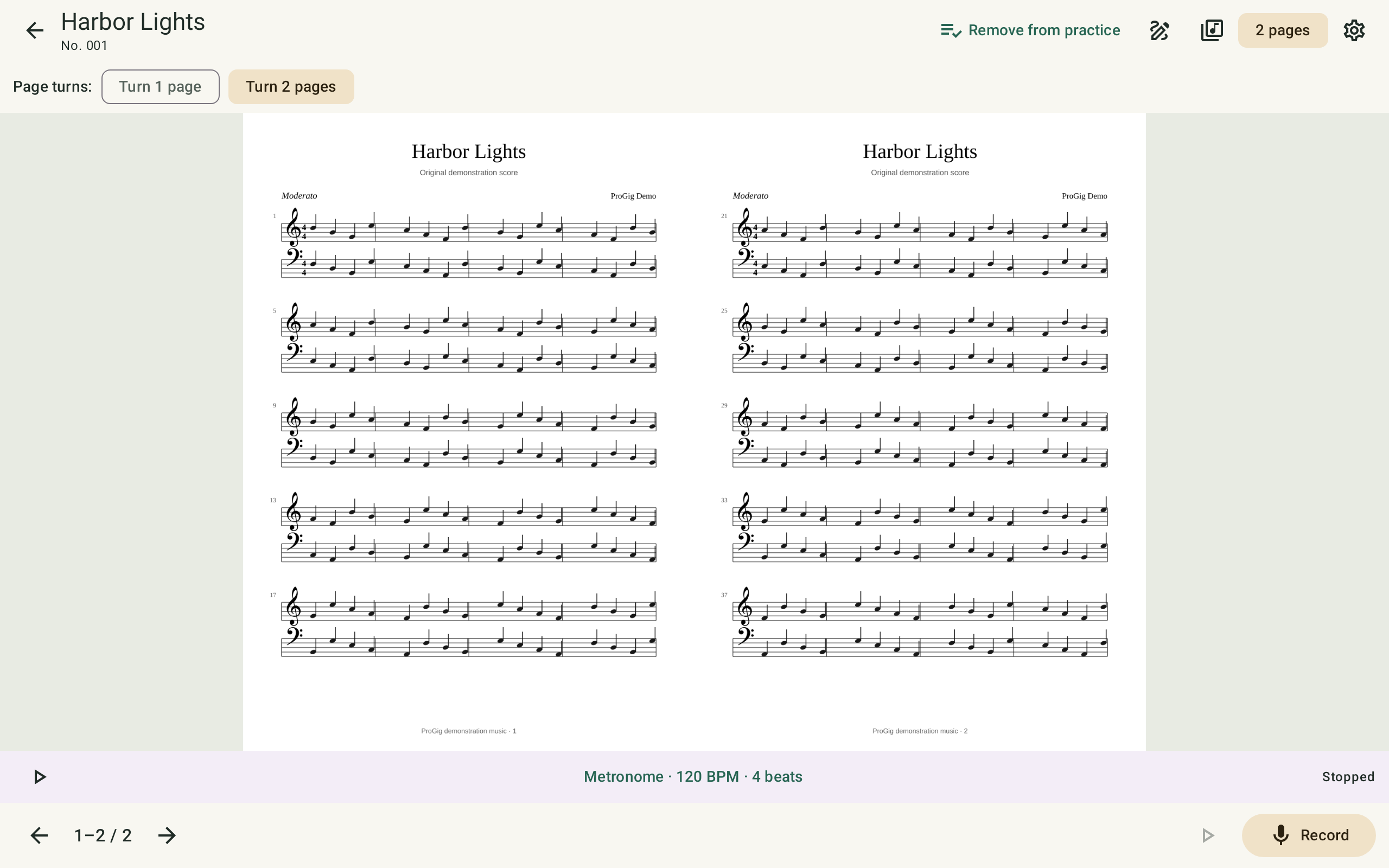
For every part of the performance
Import PDFs and images, or scan printed scores with your camera. Keep separate libraries for your bands and projects, and find a song by title or number.
Add notes in blue, red, or black with a stylus or touch drawing. Zoom in, erase a stroke, and keep your original score intact.
Arrange songs into numbered sets and perform them in order. Turn pages with a swipe, an edge tap, or a compatible keyboard-style Bluetooth pedal.
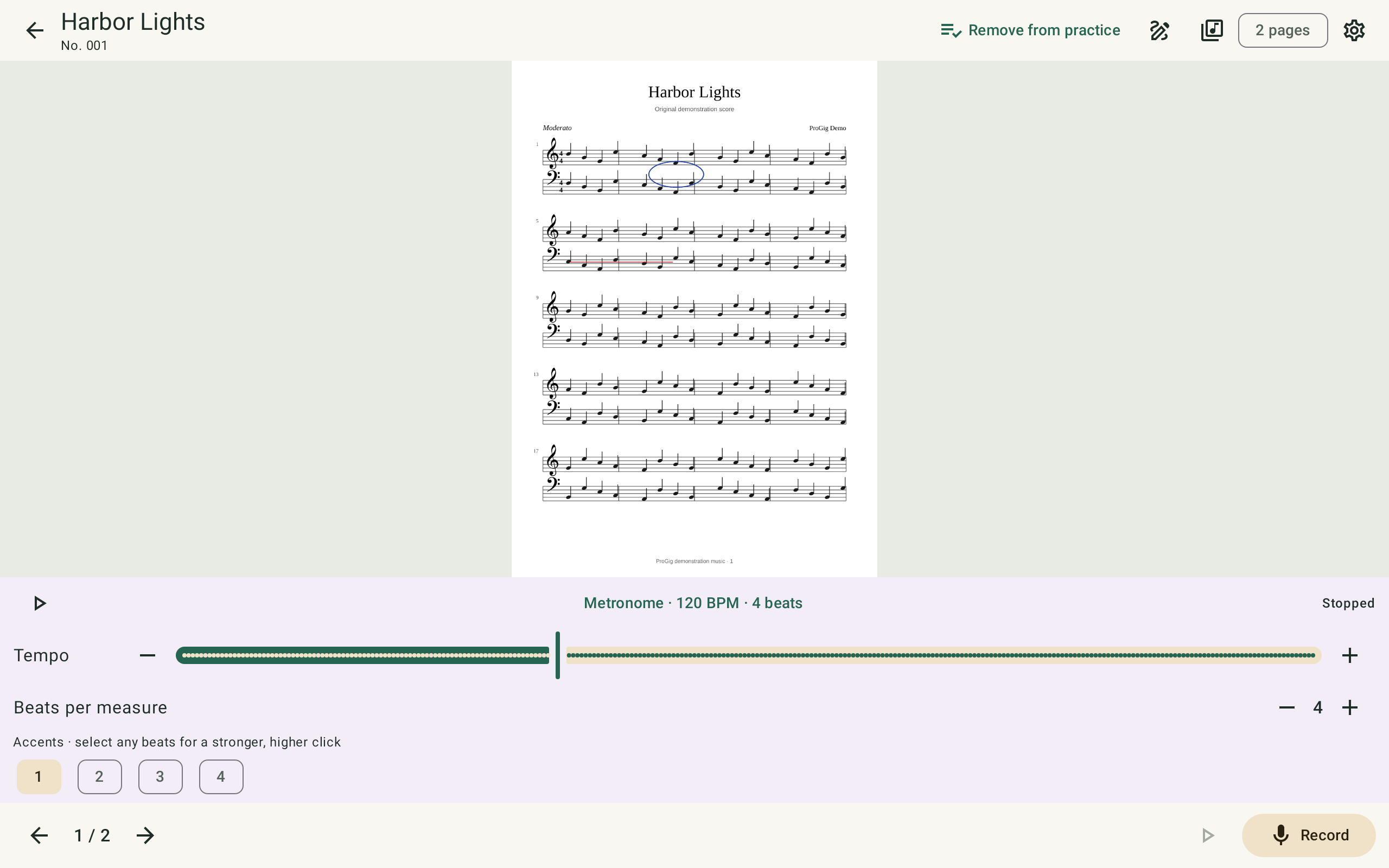
A rhythm for your rehearsal
Keep the songs you’re working on in a dedicated practice list. Set the metronome to your tempo, choose the beats to accent, and record a take to listen back.
Before you take the stage
Bring your own PDFs, images, or printed music that you have permission to use. ProGig organizes and displays your music; it does not include a sheet music catalog.
Yes. Imported music, annotations, set lists, and recordings are stored on your device. Camera scanning requires Google Play services and may need internet access for an initial component download. Cloud file providers need their own connection when transferring files.
Create a manual backup through Android’s file picker, using local storage or an available provider such as Google Drive. Backup ZIP files are not encrypted by ProGig. Keep backups private and save one before uninstalling or clearing app storage. Our privacy policy explains camera and microphone use, local storage, Google SDK diagnostics, and deletion.
By Radiant Roomworks
Questions about ProGig? We’d like to hear from you.